Quickly Start
Before you start to enjoy developing web spider as LEGO, please make sure that you already has installed SmoothCrawler and its some dependencies.
Let’s start to have fun with SmoothCrawler after you ready!
Create a web crawler (in the same object)
If you want to implement a crawler easily, you could extend anyone BaseCrawler type object directly and override some functions of it to finish a web spider.
It doesn’t make sense without any demonstration, right? Let’s consider a scenario, you want to get the header (or title) of a website without any data process. For example, get Example Domain from http://www.example.com:
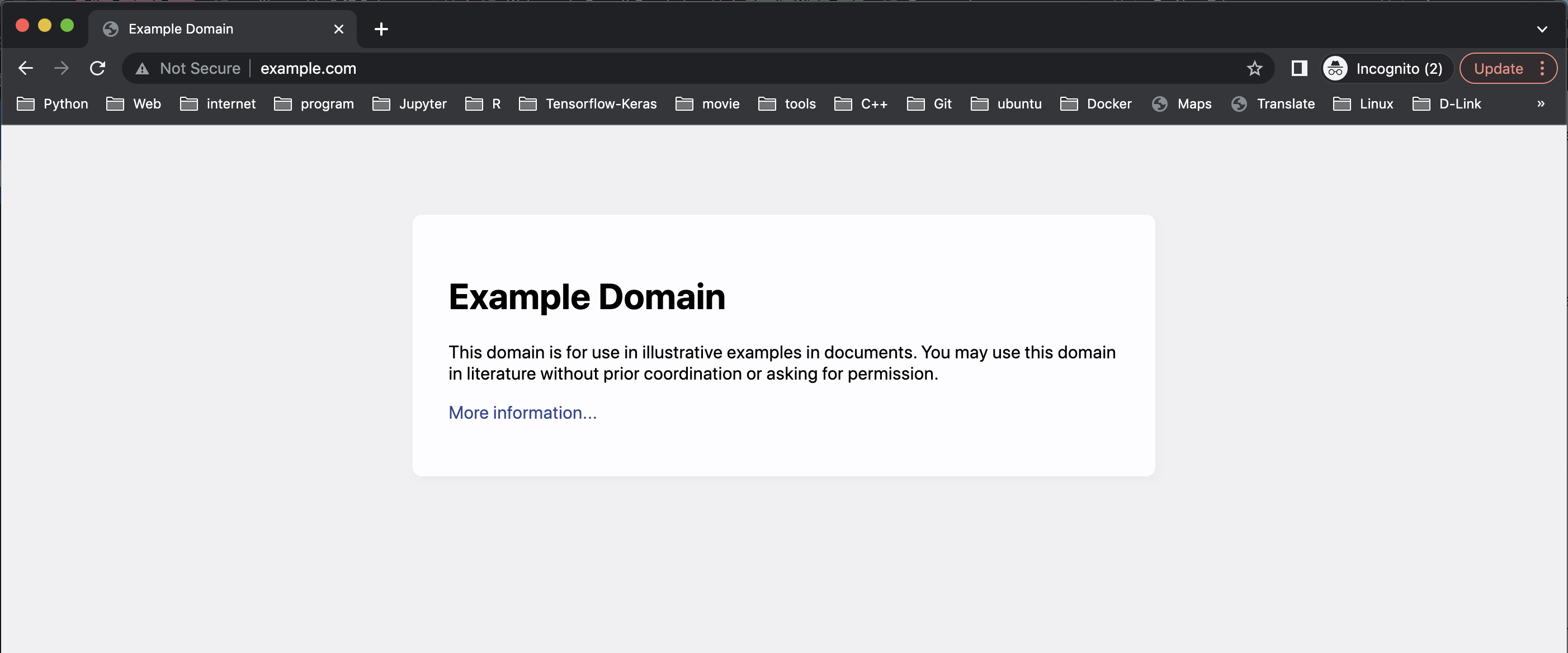
Let’s start with importing modules we need:
from smoothcrawler.crawler import SimpleCrawler
from bs4 import BeautifulSoup
import requests
SimpleCrawler is one of SmoothCrawler roles and we could extend its every features about web spider we need. bs4 is Python library BeautifulSoup which could parse HTML web content. requests is also a Python library which target to handle HTTP request.
Let’s open the DevTool of chrome (f12) and find where the HTML element locator is.
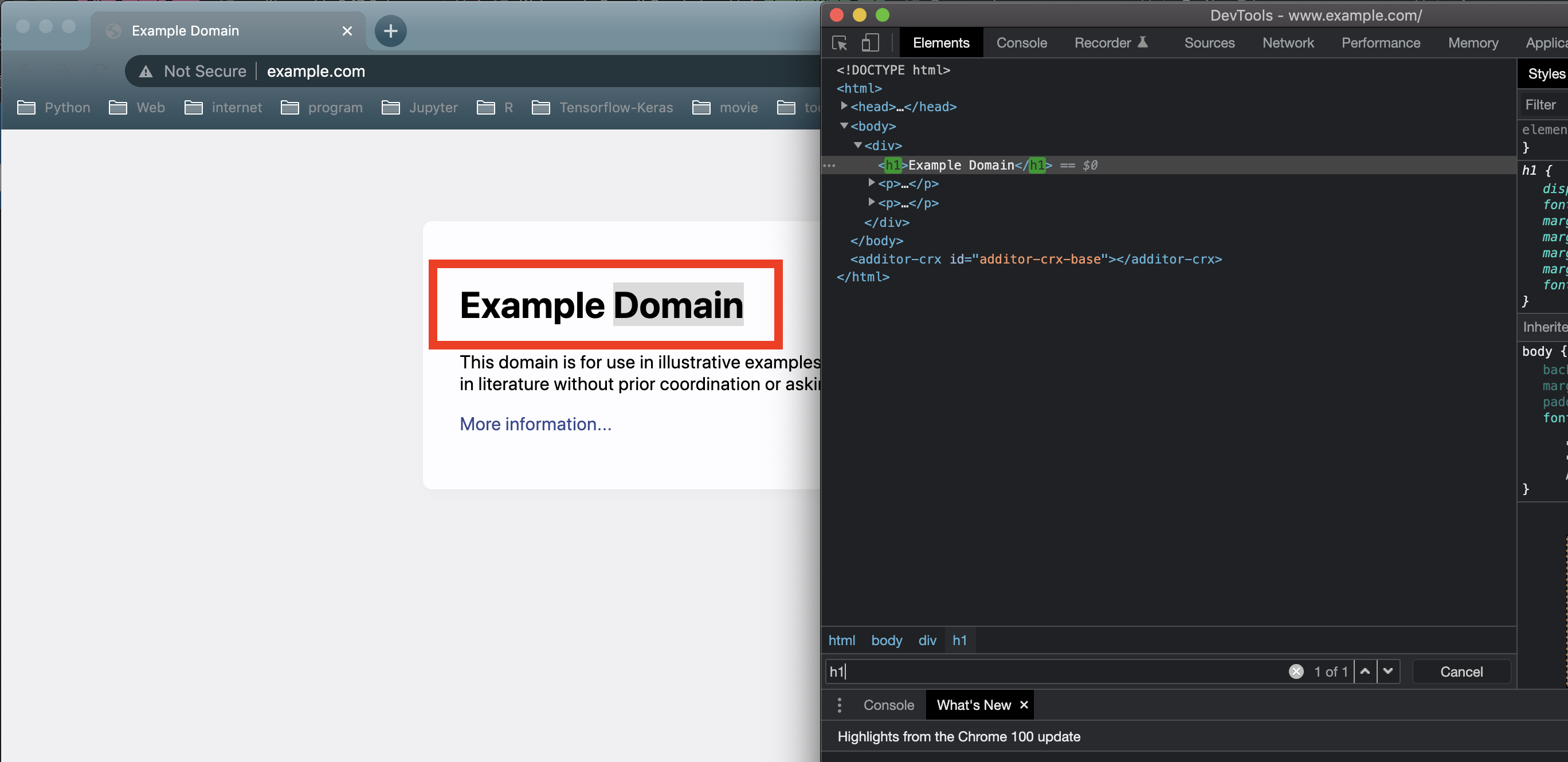
It could point the target HTML element with h1. However, we need to know which functions we could extend before build web spider:
send_http_request
Sending HTTP request and return HTTP response.
parse_http_response
Parsing HTTP response and return parsed data.
data_process
Doing data process from parsed data of HTTP response and return handled data.
persist
Persist final result data (as a file format or into database).
From above all, let’s extend 3 functions: send_http_request, parse_http_response and data_process.
class ExampleEasyCrawler(SimpleCrawler):

    def send_http_request(self, method: str, url: str, retry: int = 1, *args, **kwargs) -> requests.Response:
        _response = requests.get(url)
        return _response


    def parse_http_response(self, response: requests.Response) -> str:
        _bs = BeautifulSoup(response.text, "html.parser")
        _example_web_title = _bs.find_all("h1")
        return _example_web_title[0].text


    def data_process(self, parsed_response: str) -> str:
        return parsed_response
After we complete implementations all we need, let’s start to run the crawler we done:
_example_easy_crawler = ExampleEasyCrawler()    # Instantiate your own crawler object
_example_result = _example_easy_crawler.run("get", Test_Example_URL)    # Run the web spider task with function *run* and get the result
print(f"Example web crawler result: {_example_result}")
# Example web crawler result: Example Domain
It works finely and how the code clear and readable is!
Create a web crawler (separate to different objects)
In generally, a web spider usually be difficult and unstable. Let’s give you some examples:
Block the connection without valid HTTP header.
Block IP address because the frequency of sending HTTP is too many.
The API paths or options change.
The element locator of HTML elements always changes.
There are so many trivial things in HTTP response parsing or data process.
Above are some generally scenarios you may had faced it before. No matter for sending HTTP request, parsing HTTP response or data process, it highly probably faces any one of above issues. In the other words, you may have more and more code lines to handle that problems. It must be long-winded and divergent the main point of an object. That’s the reason why SmoothCrawler provides another point for it — SoC (Separation of Concerns).
SmoothCrawler has different components are responsible of different task. Please refer to swimlane flowcharts of crawler, components and work flow to clear the relation between crawler, components and its work flow.
So let’s start with implementing components of SmoothCrawler.
Implement components
About the target website to demonstrate, let’s keep using example web. And the components which will be implemented by us are HTTP Sender, HTTP response Parser and Data Handler.
HTTP Sender
It’s responsible of every logic related with sending HTTP request. It includes set HTTP header, use cookie, send request via proxy, etc. And it would return the HTTP response finally.
Let’s import its module:
from smoothcrawler.components.httpio import HTTP
Each HTTP method has its own function in object HTTP. So we should override function get as following:
class Urllib3HTTPRequest(HTTP):

    __Http_Response = None

    def get(self, url: str, *args, **kwargs):
        _http = urllib3.PoolManager()
        # # # # If it needs to limit the frequency of sending HTTP request, please remove the code commenter.
        # _random_sleep = random.randrange(0, 10)
        # time.sleep(_random_sleep)
        self.__Http_Response = _http.request("GET", url)
        return self.__Http_Response
Or you also could implement via library requests:
class RequestsHTTPRequest(HTTP):

    __Http_Response = None

    def get(self, url: str, *args, **kwargs):
        self.__Http_Response = requests.get(url, headers=_HTTP_Header)
        # _random_sleep = random.randrange(0, 10)
        # time.sleep(_random_sleep)
        return self.__Http_Response
HTTP response Parser
This process focus on parsing HTTP response content.
Import the modules:
from smoothcrawler.components.data import BaseHTTPResponseParser
from typing import Any
from bs4 import BeautifulSoup
import requests
The 3 functions you can override are get_status_code, handling_200_response and handling_not_200_response.
get_status_code
Get the HTTP status code from HTTP response object.
handling_200_response
Handle the HTTP response object. It’s the major function to parse the HTTP response object.
handling_not_200_response
Do something to handle the HTTP response object which status code isn’t 200.
class RequestsExampleHTTPResponseParser(BaseHTTPResponseParser):

    def get_status_code(self, response: requests.Response) -> int:
        return response.status_code


    def handling_200_response(self, response: requests.Response) -> str:
        _bs = BeautifulSoup(response.text, "html.parser")
        _example_web_title = _bs.find_all("h1")
        return _example_web_title[0].text
Data Handler
Literally, implementation of data process is here.
Import its module:
from smoothcrawler.components.data import BaseDataHandler
It only has one function process can be override:
class ExampleDataHandler(BaseDataHandler):

    def process(self, result):
        return result
Persistence
No matter saving data as a file formatter or into database, all the implentations should be here.
Combines components to a crawler
Finish above all components, we could start to combines them as a web spider and run it.
The modules importing:
from smoothcrawler.crawler import SimpleCrawler
from smoothcrawler.factory import CrawlerFactory
SimpleCrawler is one role of SmoothCrawler. CrawlerFactory is a collection of each different factories.
Before run anyone crawler of SmoothCrawler, it must to set CrawlerFactory to it to provide it each factory to generate the instance of components, and it will run the function of components instance to run web spider task.
It has 2 ways to initial and run crawler of SmoothCrawler:
Initial CrawlerFactory first and run SimpleCrawler.
Initial SimpleCrawler, register CrawlerFactory and run it.
Initial CrawlerFactory first and run SimpleCrawler
First, we need to instantiate a CrawlerFactory and set the factory property:
_cf = CrawlerFactory()
# _cf.http_factory = Urllib3HTTPRequest(retry_components=MyRetry())
_cf.http_factory = RequestsHTTPRequest()
_cf.parser_factory = RequestsExampleHTTPResponseParser()
_cf.data_handling_factory = ExampleDataHandler()
Pass the CrawlerFactory as option factory and run it via function run:
sc = SimpleCrawler(factory=_cf)
data = sc.run("GET", "http://www.example.com/")
print(f"[DEBUG] data: {data}")
# [DEBUG] data: Example Domain
Initial SimpleCrawler, register CrawlerFactory and run it
Register the factories via function register_factory and run it:
sc = SimpleCrawler(factory=_cf)
sc.register_factory(
    http_req_sender=RequestsHTTPRequest(),
    http_resp_parser=RequestsExampleHTTPResponseParser(),
    data_process=ExampleDataHandler()
)

data = sc.run("GET", "http://www.example.com/")
print(f"[DEBUG] data: {data}")
# [DEBUG] data: Example Domain
Finish a web spider! You would find that the different logic implementation be divergent to 3 different objects (it’s 4 objects if it includes persistence part) and each of them are responsible of their own task they should do.
For a very easy and simple web spider, this way isn’t a good choice to use. You should chose the first way to implement. But if you’re facing a issue to build a web spider system which be more bigger and more difficult, this must be a best way to you.
Implement different crawler to face different scenario
In addiction to the Soc of SmoothCrawler, crawler role is another special feature of SmoothCrawler. SmoothCrawler provides several different crawler role for different scenarios.
SimpleCrawler
This is the simplest crawler role in SmoothCrawler. In generally, it could satisfy almost simple requirements.
from smoothcrawler.crawler import SimpleCrawler

# Crawler Role: Simple Crawler
sc = SimpleCrawler(factory=self._cf)
data = sc.run("GET", Test_URL_TW_Stock)
print(f"[DEBUG] data: {data}")
AsyncSimpleCrawler
This crawler role would run the tasks asynchronously. So the option url of its function run should be a collection of URLs or Queue object.
from smoothcrawler.crawler import AsyncSimpleCrawler
from smoothcrawler.urls import URL

Test_URL_TW_Stock_With_Option = "https://www.twse.com.tw/exchangeReport/STOCK_DAY?response=json&date={date}&stockNo=2330"

# Generate URLs
url = URL(base=Test_Example_URL_With_Option, start="20210801", end="20211001", formatter="yyyymmdd")
url.set_period(days=31, hours=0, minutes=0, seconds=0)
target_urls = url.generate()
print(f"Target URLs: {target_urls}")

# Crawler Role: Asynchronous Simple Crawler
sc = AsyncSimpleCrawler(factory=self._acf, executors=2)
data = sc.run("GET", target_urls)
print(f"[DEBUG] data: {data}")
ExecutorCrawler
This crawler role could run the tasks as multiple threads (RunAsConcurrent), green threads (RunAsCoroutine) or processes (RunAsParallel) by the option mode in instantiating object. Therefore its option url of its function run should be a collection of URLs or Queue object.
from smoothcrawler.crawler import RunAsConcurrent, ExecutorCrawler
from smoothcrawler.urls import URL

Test_URL_TW_Stock_With_Option = "https://www.twse.com.tw/exchangeReport/STOCK_DAY?response=json&date={date}&stockNo=2330"

# Generate URLs
url = URL(base=Test_Example_URL_With_Option, start="20210801", end="20211001", formatter="yyyymmdd")
url.set_period(days=31, hours=0, minutes=0, seconds=0)
target_urls = url.generate()
print(f"Target URLs: {target_urls}")

# Crawler Role: Executor Crawler
sc = ExecutorCrawler(factory=self._cf, mode=RunAsConcurrent, executors=3)
data = sc.run(method="GET", url=target_urls)
print(f"[DEBUG] data: {data}")
for d in data:
    print(f"[DEBUG] pid: {d.pid}")
    print(f"[DEBUG] worker_id: {d.worker_ident}")
    print(f"[DEBUG] state: {d.state}")
    print(f"[DEBUG] exception: {d.exception}")
    print(f"[DEBUG] data: {d.data}")
PoolCrawler
This crawler role is almost same as ExecutorCrawler but it manage runnable object by Pool.
from smoothcrawler.crawler import RunAsParallel, PoolCrawler
from smoothcrawler.urls import URL

Test_URL_TW_Stock_With_Option = "https://www.twse.com.tw/exchangeReport/STOCK_DAY?response=json&date={date}&stockNo=2330"

# Generate URLs
url = URL(base=Test_Example_URL_With_Option, start="20210801", end="20211001", formatter="yyyymmdd")
url.set_period(days=31, hours=0, minutes=0, seconds=0)
target_urls = url.generate()
print(f"Target URLs: {target_urls}")

# # Crawler Role: Pool Crawler
with PoolCrawler(factory=self._cf, mode=RunAsParallel, pool_size=5) as pc:
    data = pc.async_apply(method="GET", urls=url)
    print(f"[DEBUG] data: {data}")
    for d in data:
        print(f"[DEBUG] data: {d.data}")
        print(f"[DEBUG] is_successful: {d.is_successful}")
Above all are the introduction of each different crawler role of SmoothCrawler. Besides combination of different components be needed, crawler role is also a key point to let developments of web spider be extremely varied with SmoothCrawler.